
Local first is a real option
You can photograph, organize, search, play Voice Stories and export without opening a Mademory account. The developer cannot browse a local archive because there is no developer content server behind it.
 Mademory
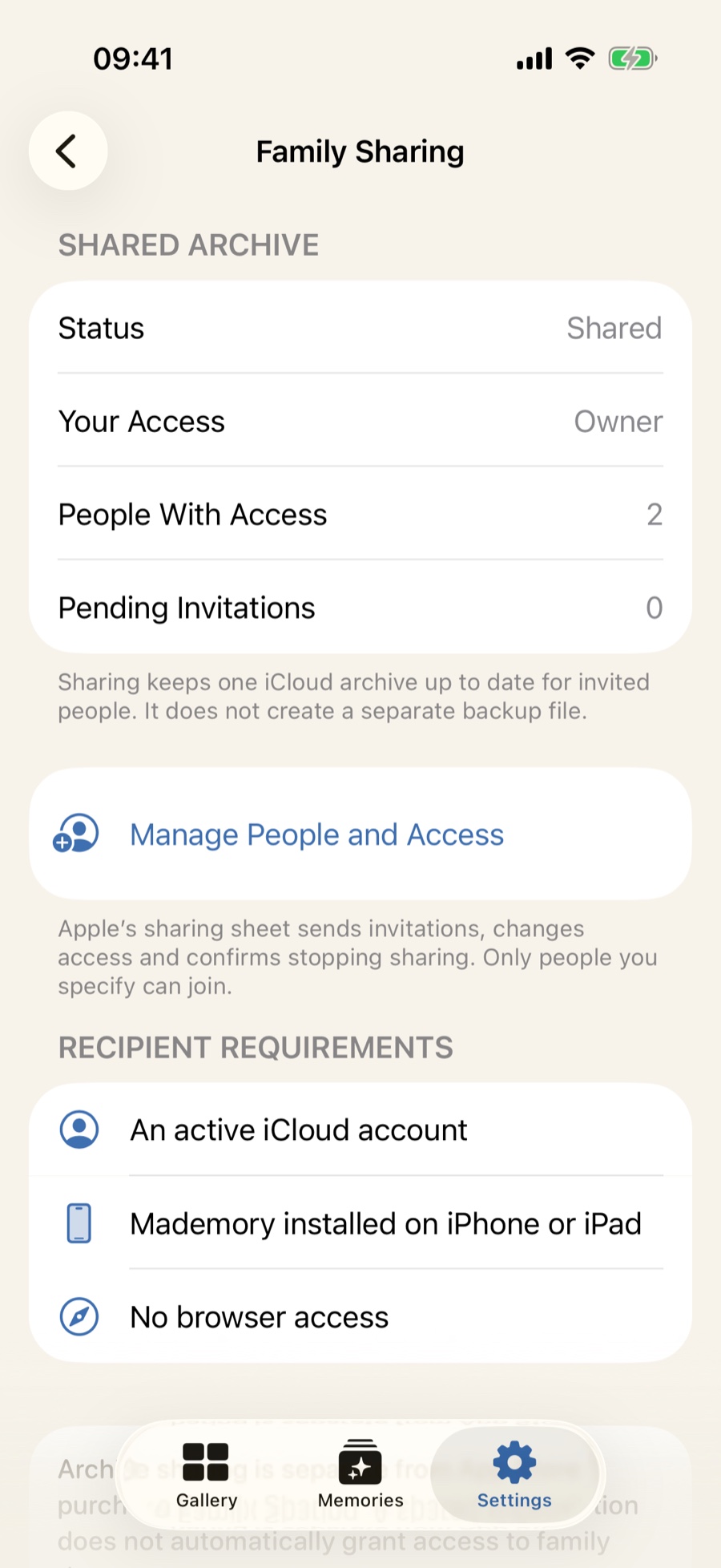
Mademory begins as a private on-device archive. If you choose Family & Cloud, Apple’s iCloud sharing can invite specific people as viewers or editors.
No developer-operated account or public gallery
Optional iCloud sync through the user’s Apple account
Owner, Editor and Viewer roles for invited participants
You can photograph, organize, search, play Voice Stories and export without opening a Mademory account. The developer cannot browse a local archive because there is no developer content server behind it.
The owner chooses who joins and whether each participant may edit or only view. Apple presents the invitation and manages the shared iCloud zone; Mademory does not create a public web link.
Apple Purchase Family Sharing and Mademory Family Archive access are separate. A relative does not see artwork merely because a subscription is shared, and an archive invitation does not reveal payment information.
Your family archive stays yours.
No ads. No behavioral analytics. No developer account required.
No. Joining a shared Family Archive is for an empty installation and does not silently merge two populated family libraries. Export or back up first.
No. Participants use the compatible Mademory app on iPhone or iPad with iCloud available.
MademoryTurn drawings, paintings and schoolwork into a beautiful archive you can actually revisit - with the child, date and story still attached.